



Getting Your API Key
Learn how to get your Redshred API key, set up bearer token authentication, and start making API calls with curl or the official Python client.
This is a div block with a Webflow interaction that will be triggered when the heading is in the view.
Log in to get the key
Redshred uses a bearer token for authentication. Once you have your login credentials, you can access your bearer token at any time in your profile page.
- Log into Redshred
- Visit your profile page by clicking your name in the left sidebar
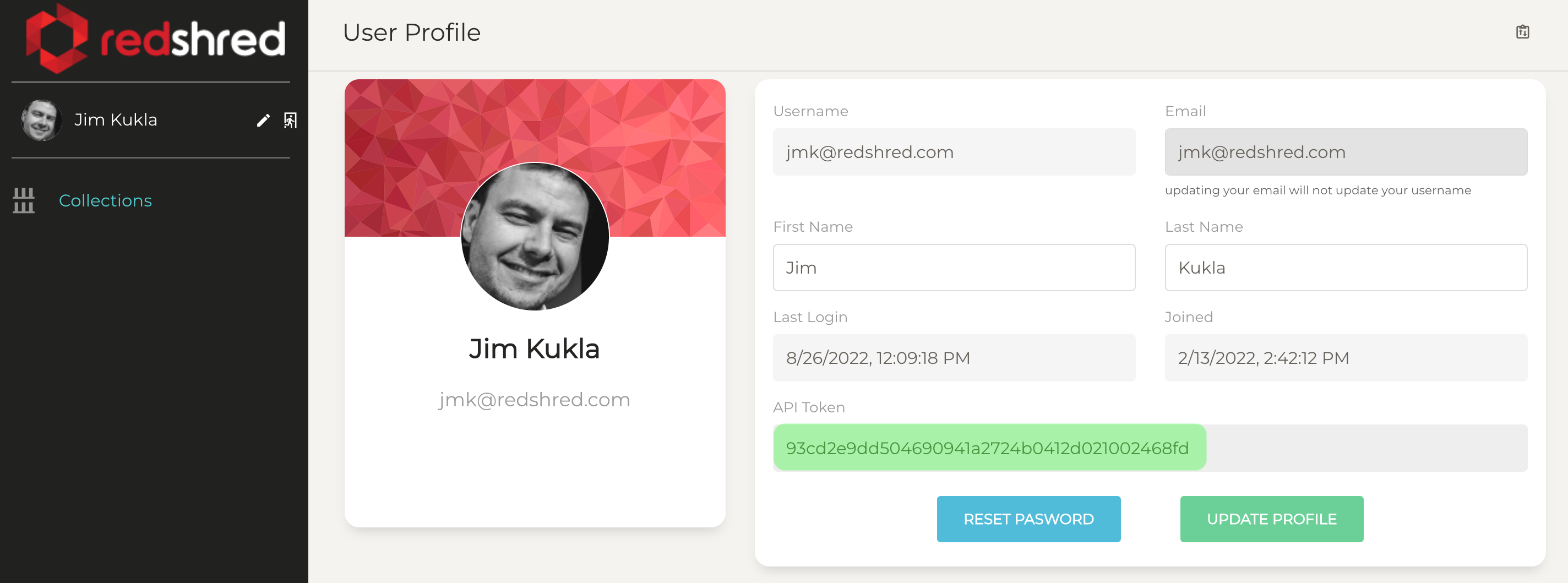
- Copy your API token from the ‘API Token’ text field (highlighted in green below)
Using your key
Once you have this token, you can use it by setting the HTTP Authentication header as shown below (replacing $REDSHRED_AUTH_TOKEN with your actual token value). We will use curl for many of the examples in this tutorial and will assume it’s been configured as described below.
A note about conventions
This tutorial will use unix/macOS compatible syntax for local filepaths and commands. Windows users will be able to follow along exactly if using the Windows Subsystem For Linux (WSL). We refer you to the curl documentation regarding Windows installation if not using the WSL.
curl -H "Authorization: Token $REDSHRED_AUTH_TOKEN" https://api.redshred.com/v2/collections/For the purposes of this tutorial, we’ll assume you have this and a few other simple options set in a file in your current directory called redshred-auth. These will make using curl easier for the purposes of this tutorial.
#  Always send RedShred credentials with API calls
-H "Authorization: Token $REDSHRED_AUTH_TOKEN"

#  Always prefer JSON replies from the server
-H "Accept: application/json"
With this in place, listing your collections (as shown above) should work as:
curl --config redshred-auth https://api.redshred.com/v2/collections/
(Optional) Using the official Python Client
If you’re a python developer, we’ve got an official library you can use. Simply install it with pip/poetry like:
pip install https://storage.googleapis.com/redshred-packages/redshred/releases/latest/redshred.tgzThere will be a public release eventually, but for now it’s privately hosted. The documentation for the python library is available at https://storage.googleapis.com/redshred-packages/redshred/releases/latest/docs/index.html
NOTE: If you want to refer to the documentation for a specific version (or install a specific version) just replace latest with the version number. For example: https://storage.googleapis.com/redshred-packages/redshred/releases/1.4.0a10/docs/index.htmlpip install https://storage.googleapis.com/redshred-packages/redshred/releases/1.4.0a10/redshred.tgz